
AI Watermark Remover vs Photoshop: We Compared Both — Here's Which One Actually Wins
The Ultimate Guide to Unwatermark Images: AI Automation vs. Manual Editing
In the digital age, visual content is the currency of communication. Whether you are a professional graphic designer, a marketing executive, or an e-commerce store owner, the clarity and quality of your imagery can make or break your engagement rates. However, one persistent obstacle often stands in the way of visual perfection: watermarks. While essential for copyright protection during the draft phase, these semi-transparent overlays become significant hurdles when you need to restore an image for which you have lost the original raw file, or when you are testing design layouts before final licensing.
This brings us to the concept of the "unwatermark" process—the act of removing these unwanted stamps to restore an image to its pristine state. For years, this was a tedious, manual task reserved for Photoshop experts. Today, Artificial Intelligence has revolutionized this workflow. In this comprehensive comparison guide, we will explore the evolution of watermark removal, compare the effectiveness of manual editing versus modern AI solutions, and introduce a game-changing tool: Unwatermark created by Haimeta.
The Evolution of Image Restoration: A Comparative Analysis
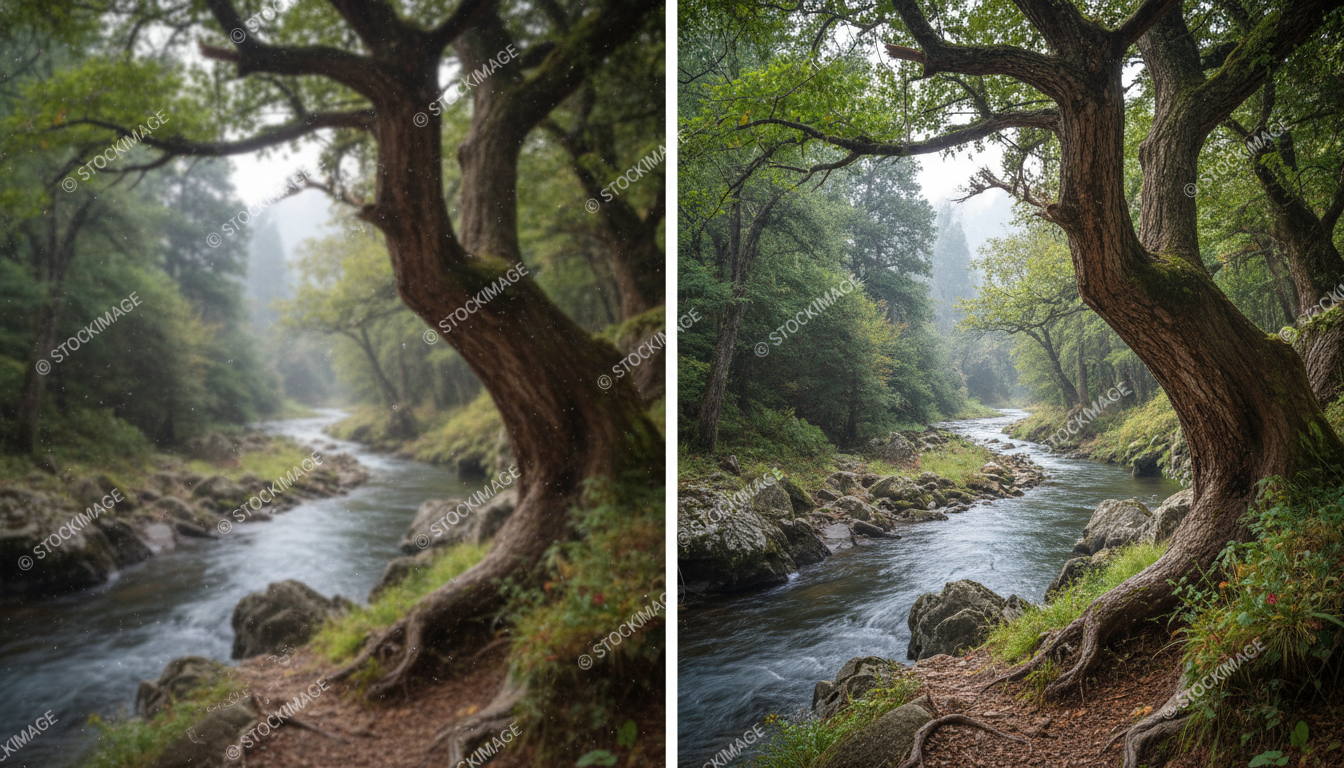
To truly appreciate the value of modern AI tools, we must first understand the landscape of image restoration. "Unwatermarking" an image isn't just about erasing a logo; it is about reconstructing the visual data that is hidden behind that logo. This process, often called "inpainting," requires the software (or the human editor) to guess what the pixels behind the watermark should look like based on the surrounding context.
1. The Traditional Manual Approach
For decades, removing a watermark was a test of patience and skill. Designers relied heavily on sophisticated raster graphics editors.
- The Clone Stamp Tool: This method involves manually sampling pixels from one part of an image and painting them over the watermark. While effective for simple backgrounds (like a blue sky), it fails miserably with complex textures, gradients, or patterns.
- The Healing Brush: A slight improvement over cloning, this tool attempts to blend the texture of the sampled area with the color of the target area.
- The Content-Aware Fill: Early iterations of algorithmic removal allowed users to select an area and let the software fill it. While faster, it often produced "smudged" or repetitive artifacting that ruined the image's integrity.
The Verdict on Manual Editing: It is time-consuming, requires steep learning curves, and often results in imperfect, noticeable edits.
2. The Era of AI Automation
Enter the era of AI. Modern machine learning models have been trained on millions of images to understand context, texture, light, and shadow. Instead of simply "copying and pasting" nearby pixels, AI analyzes the entire composition of the image to predict and generate the missing data seamlessly.
This shift has democratized the ability to unwatermark images, moving the capability from the hands of senior retouchers to anyone with an internet connection.
Introducing the Haimeta Solution
Among the emerging tools in this sector, one solution stands out for its focus on simplicity and result integrity. We are examining the Unwatermark module created by Haimeta.
Unlike generic photo editors that bundle watermark removal as an afterthought, this tool is designed with a specific focus on preserving the original quality of the image while effectively eliminating unwanted overlays. The core value proposition here is drastically different from legacy software: Process invisibility.
With Haimeta's solution, the user is removed from the technical process entirely. There are no brushes to size, no source points to define, and no layers to manage.
How It Works: The "Upload and Done" Philosophy
The user experience is streamlined into a single action:
- Upload: You provide the image containing the watermark.
- Processing: The system automatically identifies the location and density of the watermark.
- Restoration: The AI eliminates the overlay and reconstructs the background.
Core Selling Points: Why AI Wins the Comparison
When comparing the Unwatermark tool against both manual editing and basic online erasers, several key advantages emerge. These points highlight why businesses are switching to AI-driven workflows.
1. Zero Manual Intervention Required
The most significant pain point in traditional editing is the need for manual selection. You usually have to trace the watermark with a lasso tool carefully. If you miss a pixel, the result is flawed.
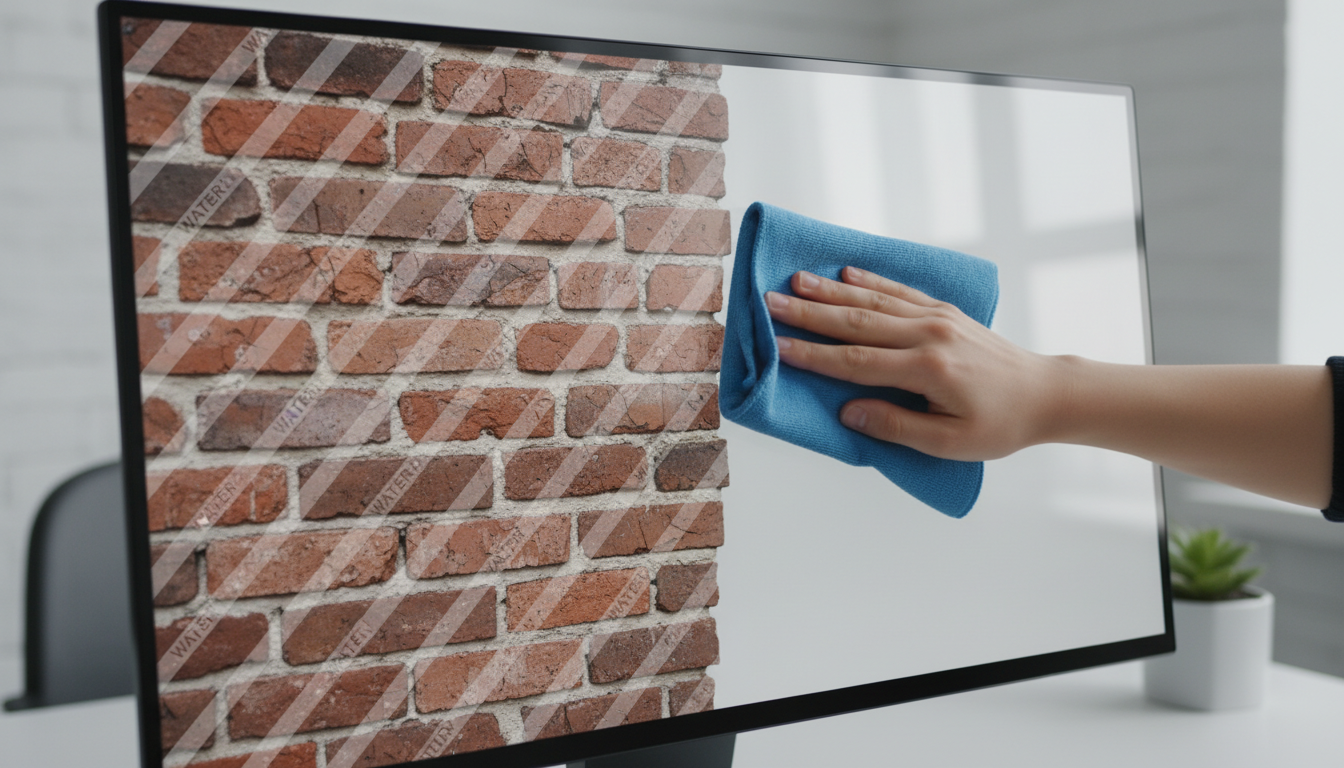
Haimeta’s AI eliminates this step. It automatically detects the watermark content. Whether it is a text string, a logo, or a semi-transparent pattern covering the whole image, the system identifies it without you having to point it out. This "zero-click" detection saves hours of cumulative work time.
2. Intelligent Background Reconstruction
The true test of an unwatermark tool is not how well it erases, but how well it creates. If a watermark sits on top of a complex object—say, a person's hair, a detailed building facade, or a textured fabric—simply erasing it leaves a hole or a blur.
The Haimeta tool excels at maintaining the original image's integrity. It understands the continuity of lines and textures. If a watermark crosses a horizon line, the AI ensures the horizon line remains straight after removal. It doesn't just blur the area; it regenerates the missing details to match the surrounding high-frequency textures.
3. Preserving Visual Fidelity
Many free online tools compress images heavily, returning a clean but pixelated result. A professional workflow demands high resolution. The Haimeta module is engineered to handle high-quality inputs and return high-quality outputs, ensuring that the "unwatermarked" image is usable for its intended professional purpose, such as layout testing or archival restoration.
Use Cases: Who Needs to Unwatermark Images?
To understand the practical value, let’s look at specific scenarios where this tool outperforms manual editing.
- E-Commerce Managers: Often, product images provided by suppliers come with overlay stamps or outdated promotional text. Retaking the photo is expensive; manually editing hundreds of SKUs is impossible. AI removal cleans these batches instantly.
- Digital Archivists: Companies often lose their original assets. They may be left with only low-res or watermarked previews stored in a CMS. This tool helps reclaim usable assets from these remnants.
- Content Creators & Mockup Designers: When pitching a concept to a client, designers often use stock previews. A distracting watermark can ruin the aesthetic of a pitch deck. Cleaning the image focuses the client's attention on the creative concept, not the copyright stamp (assuming proper licensing follows upon approval).
- Real Estate Agents: Property photos often have date stamps or camera setting overlays burned into the corner. These look unprofessional on listing sites. AI removal wipes these clean without distorting the room's details.
Step-by-Step: The Modern Workflow
Here is how simple the process is when using the Unwatermark tool created by Haimeta. Contrast this with the 15-step tutorial required for Photoshop.
Step 1: Access the Tool Navigate to the Haimeta unwatermark module via your browser. No software installation is required, freeing up local system resources.
Step 2: Upload Your Image Drag and drop your file. The system accepts standard image formats.
Step 3: AI Processing Wait for the AI to scan the image. It analyzes the pixel difference between the foreground overlay and the background visual data. It then performs the separation and reconstruction simultaneously.
Step 4: Download Receive your clean image. The result is a seamless visual typically indistinguishable from a raw photo.
Comparison Summary: Haimeta AI vs. The Rest
| Feature | Manual Editing (Photoshop) | Basic Online Tools | Haimeta AI Unwatermark |
|---|---|---|---|
| Speed | Slow (10-30 mins/image) | Fast | Instant |
| Ease of Use | Difficult (Requires Skill) | Moderate (Manual Selection) | Effortless (Auto-Detect) |
| Complex Backgrounds | High Skill Required | often Blurs/Smudges | High Integrity Reconstruction |
| Batch Capability | Very Slow | Varies | High Efficiency |
| Result Quality | Varies by User Skill | Low to Medium | Professional Grade |
Professional Ethics and Best Practices
While the technology to unwatermark images is powerful, it is vital to use it responsibly. As a professional, this tool should be used to restore assets you own, clean up user-generated content, or remove automatic date stamps and camera overlays.
If you are using this for stock photography during the design phase (mockups), always ensure you purchase the license for the final commercial use. The power of AI is in workflow efficiency, enabling you to present better ideas faster, not in bypassing intellectual property rights.
Conclusion: The Future is Automated
The days of squinting at a monitor, pixel-peeping while using a clone stamp tool, are effectively over. The comparison is clear: Manual editing is a bottleneck, while AI automation is an accelerator.
By leveraging the Unwatermark tool created by Haimeta, you are not just removing a watermark; you are reclaiming your time and ensuring the visual integrity of your digital assets. The ability to simply upload an image and have the AI automatically identify and eliminate the interference—while keeping the original picture intact—is a transformative capability for any digital professional.
Don't let unwanted overlays compromise your visual storytelling. Experience the seamless restoration of your images today.
Explore More About Unwatermarking Images
Looking to dive deeper into AI-driven image restoration? For more in-depth guides, professional reviews, and tips on how to effectively unwatermark your digital assets, check out our comprehensive series below:
- How to Unwatermark Images: The Ultimate Professional AI Guide
- How to Unwatermark Images Instantly: A Professional Guide to Cleaner Visuals
- Unwatermark Review: The Professional Solution to Restore Image Integrity
- The Art of Visual Clarity: How to Unwatermark Images and Reclaim Your Digital Assets
- The Ultimate Guide to Unwatermark Images: AI Automation vs. Manual Editing