How to Create Funny AI Pet Videos: Your Ultimate Guide to Making Your Furry Friend a Star
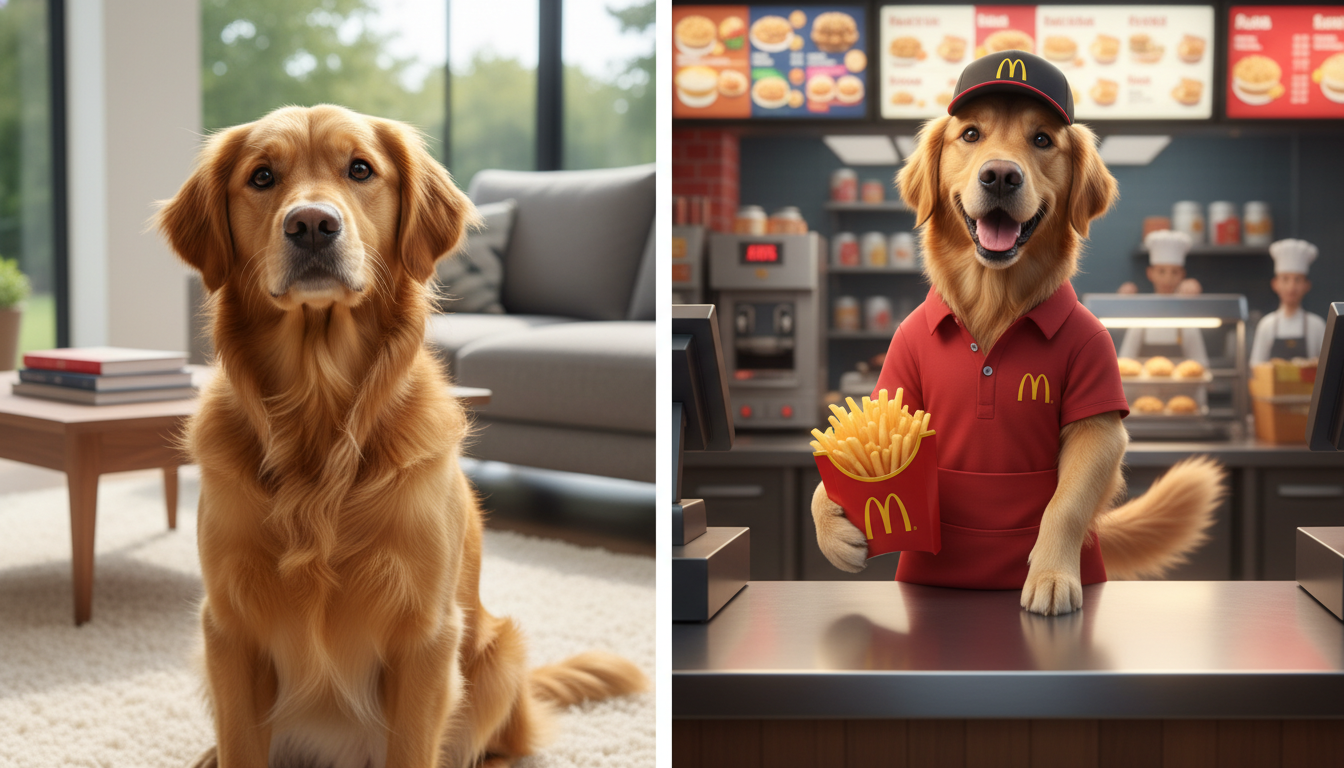
Have you ever looked at your Golden Retriever and thought, "You know, you would make an excellent manager at McDonald's"? Or stared at your tabby cat and imagined them piloting a spaceship to Mars? Until recently, these were just amusing daydreams. But with the explosion of generative AI, these hilarious scenarios are now just a few clicks away from reality.
Welcome to the world of AI Pet Video creation. It is a rapidly growing trend where pet owners use artificial intelligence to transport their real furry companions into fantastical, professional, or downright silly situations. It is not just about editing a video; it is about reimagining reality while keeping your pet's unique identity.
In this comprehensive guide, we are going to walk you through exactly how to achieve this using Haimeta, a powerful creative tool designed to bring your imagination to life. Haimeta specializes in a unique workflow that prioritizes consistency: taking a real photo of your pet and transforming it into a dynamic video character.
Ready to see your specific poodle serving fries or your hamster running a board meeting? Let’s dive in.
Why AI Pet Videos Are Taking Over the Internet
Before we get to the "how-to," let's talk about the "why." Social media platforms like TikTok, Instagram Reels, and YouTube Shorts are currently flooded with AI-generated content. However, the niche of AI Pet Video holds a special place in the hearts of viewers for several reasons:
1. Personal Connection: It’s not just a dog; it’s your dog. Combining the familiarity of your own pet with the absurdity of a human situation (like working a 9-to-5 job) creates instant comedy gold. 2. No Uncomfortable Costumes: Physical costumes can be uncomfortable for pets and difficult to photograph. AI removes these physical limitations. Your cat doesn't need to tolerate a tiny astronaut helmet; AI generates it seamlessly on their digital twin. 3. Unlimited Storytelling: You can create narratives that would be impossible to film. You can show your dog "traveling" to the pyramids of Egypt or "cooking" a five-course meal without leaving your sofa.
Meet Your Tool: Haimeta
To achieve high-quality results where the animal actually looks like your animal, you need a tool that understands subject consistency. This is where Haimeta shines.
Unlike generic tools that generate random animals, Haimeta allows you to use a reference image. This ensures that the specific spot on your dog's nose or the unique color of your cat's eyes remains consistent, even when they are "wearing" a McDonald's uniform.
Step-by-Step Guide: The "McDonald's Worker" Scenario
Let's get practical. We are going to walk through the viral trend: Making your dog work at McDonald's.
Follow these 4 simple steps to turn your good boy into the employee of the month.
Step 1: Prepare a Face Photo of Your Pet
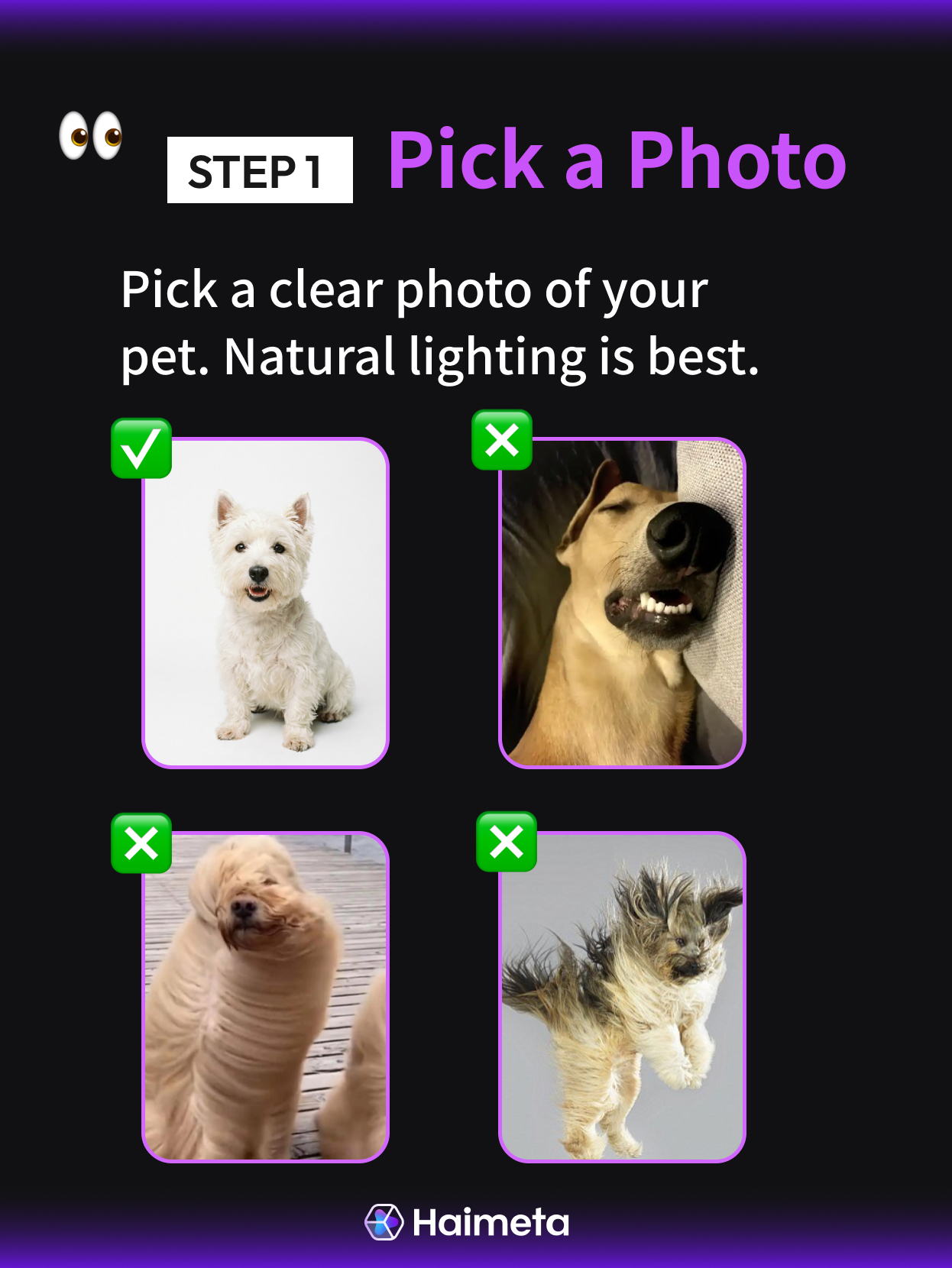
The magic starts with a source image. You don't need a professional camera, but you do need clarity.
- Action: Take or select a clear, front-facing photo of your pet.
- Tip: Ensure the lighting is good and your pet is looking toward the camera. Avoid blurry photos or photos where the face is obscured by toys or blankets. This photo will serve as the "digital DNA" for the video.
Step 2: Describe the Funny Scenario
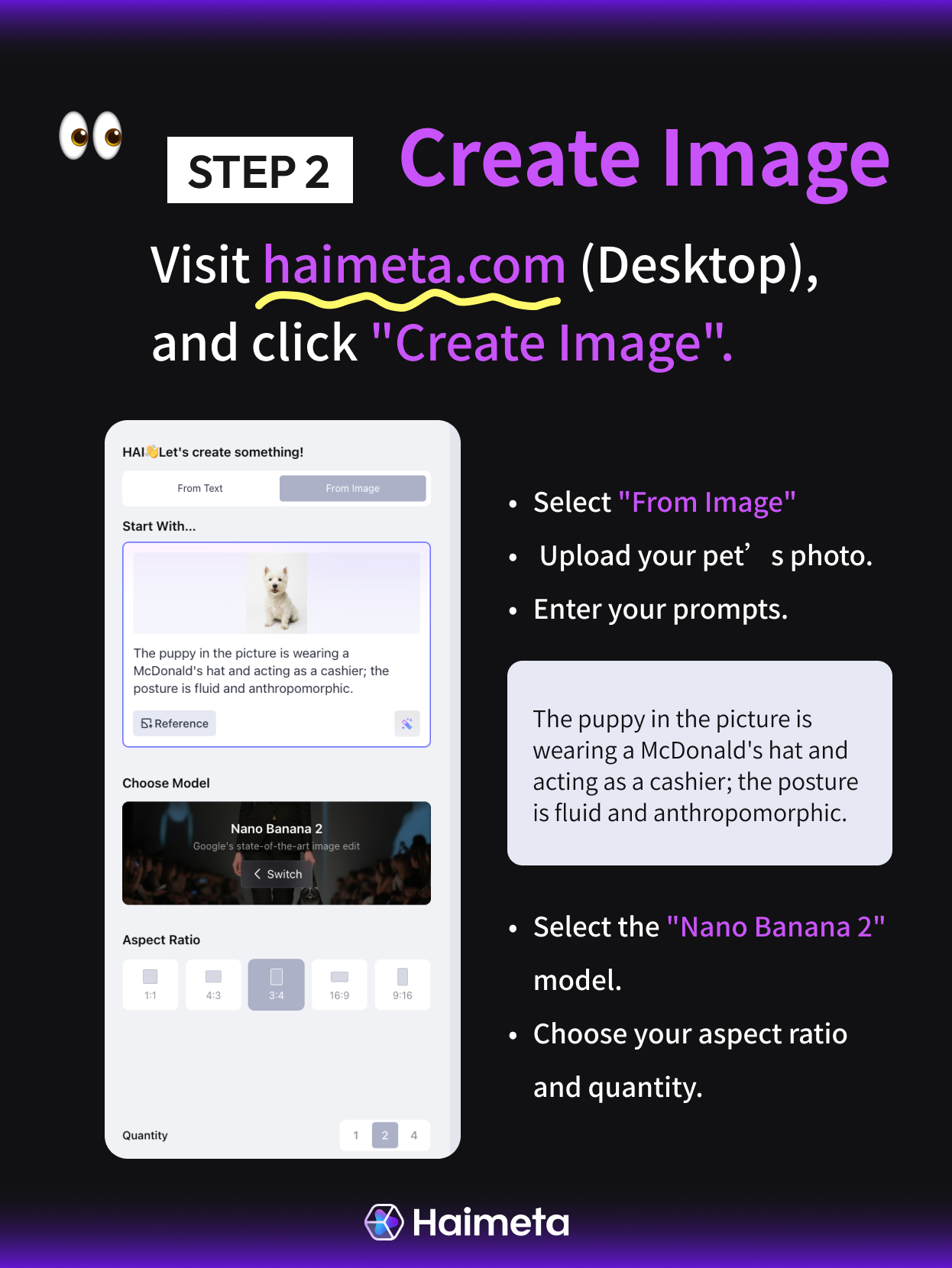
Log in to the Haimeta creation suite. Upload your pet's photo and then tell the AI what you want to see.
- Action: In the prompt box, describe the job or setting you want to put them in. Be creative!
- Example Prompt: "A cute dog wearing a red McDonald's employee uniform and cap, standing behind the counter at a McDonald's restaurant. The dog is holding a bag of takeout food with a happy expression. Cinematic lighting, photorealistic."
- The Magic: The AI will blend your pet's face with the scenario described in the text.
Step 3: Generate the Video
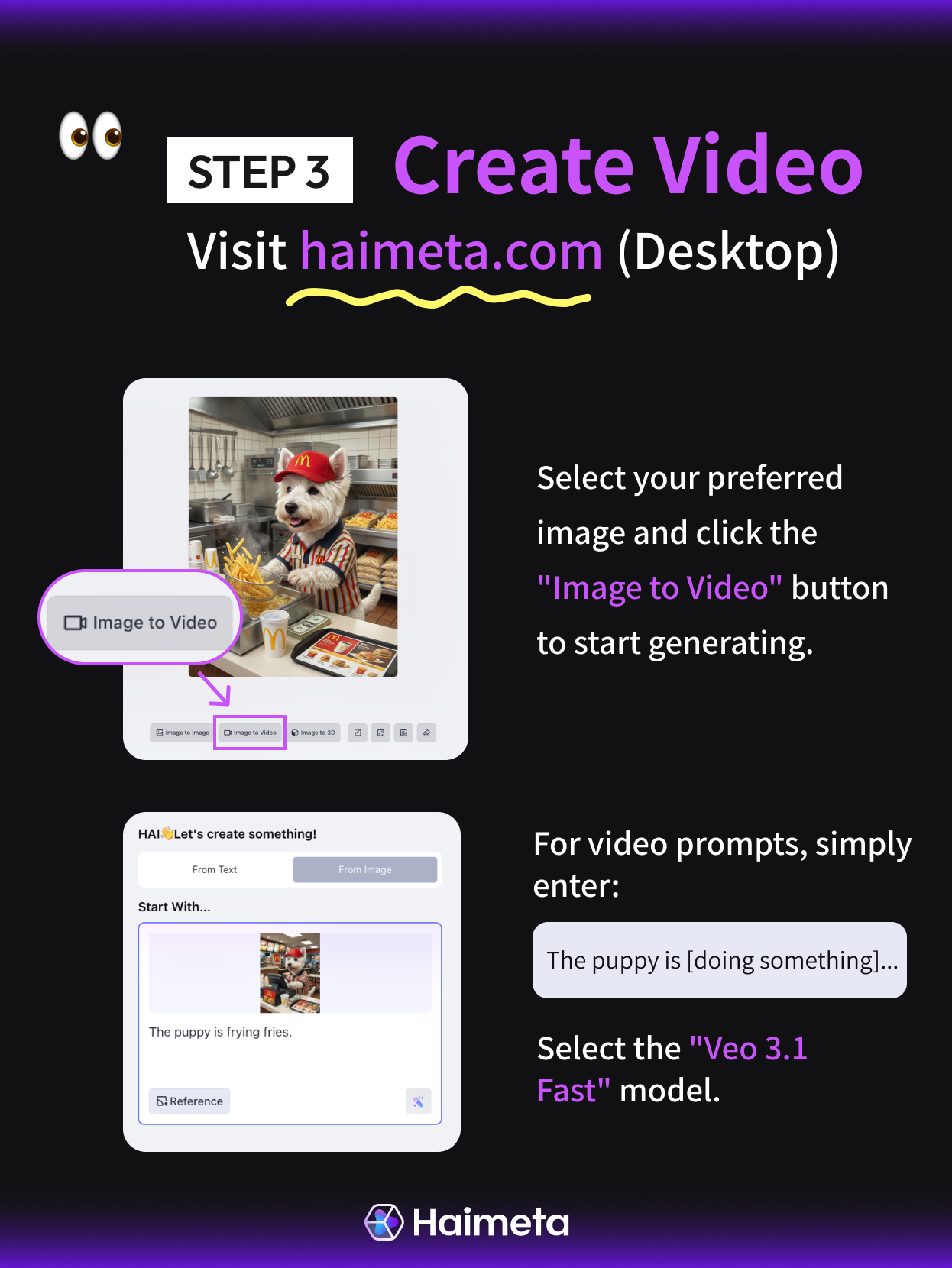
Now, bring it to life.
- Action: Confirm your settings and click "Generate Video."
- Result: In just a few moments, your static McDonald's dog will start moving—blinking, looking around, or perhaps barking at a customer.
Total Time: From uploading the photo to downloading the final video, the whole process takes about 10 minutes.
Advanced Tips for Better Results
Since you are uploading your own photo, your prompting strategy changes slightly. Here is how to get the best out of Haimeta:
1. Match the Angle
If your original photo is your dog looking straight ahead, describe a scenario where they are looking straight ahead (e.g., "Sitting at a desk during a Zoom meeting"). If your photo is a side profile, describe a side-profile action (e.g., "Looking out a spaceship window").
2. Focus on the Outfit and Atmosphere
Since the AI already knows what your pet looks like from the photo, spend your prompt word count describing the surroundings.
- Instead of "A fluffy cat," try: "A cat wearing a tuxedo, vintage library background, warm lighting, reading a newspaper."
3. Keep Motions Natural
When moving to the video stage, subtle motions work best. A pet blinking, tilting its head, or breathing creates a very realistic "uncanny valley" effect that is hilarious.
5 Fun Scenario Ideas to Try Immediately
Stuck on what to create after the McDonald's video? Here are five viral-worthy ideas you can execute right now:
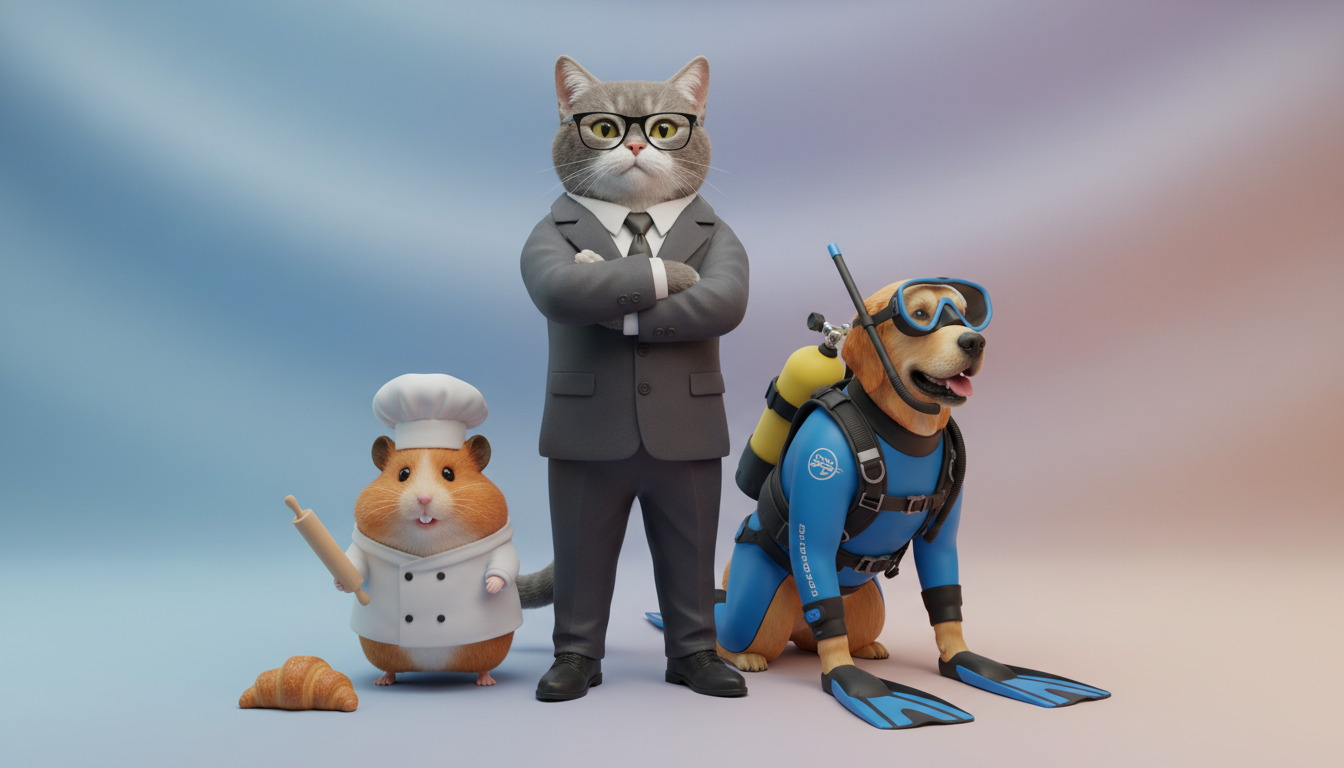
1. The Corporate Boss: Your cat in a suit, sitting at a boardroom table with a "judging" expression. 2. The Pro Gamer: Your dog wearing a headset, sitting in a gaming chair with RGB lighting in the background. 3. The Historical General: Your hamster dressed as Napoleon, standing on a hill. 4. The Barista: Your bird or bunny wearing a green apron standing behind an espresso machine. 5. The Gym Rat: Your pet wearing a sweatband and "lifting" a dumbbell.
Common Mistakes to Avoid
- Low-Quality Uploads: If your original pet photo is blurry, the AI cannot fix it. The output will also be blurry. Start with a crisp HD photo.
- Ignoring Aspect Ratio: For TikTok or Reels, make sure you select the 9:16 (vertical) ratio when generating your image and video.
- Over-Complicated Prompts: Don't ask for too much action in one go. "A dog skiing while eating pizza and juggling" creates chaos. "A dog on skis" is much cleaner.
Conclusion: Unleash Your Creativity
The barrier to entry for high-quality animation has crumbled. You no longer need expensive cameras or cooperative animals. All you need is one good photo of your pet and Haimeta.
By following this simple 4-step process, you can create content that stops the scroll and brings joy to viewers. Whether you want to see your dog serving fries or ruling a kingdom, the possibilities are endless.
So, open Haimeta today, upload that goofy picture of your cat, and share your creation with the world. The internet is waiting for your pet's debut performance.